| English | Korean | Chinese | Japanese |
Chapter 3. VMS Server
Basic Working Structure
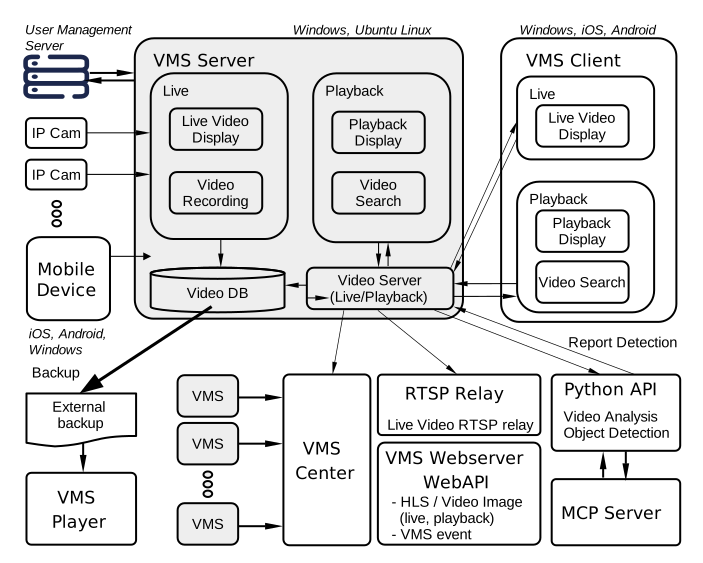
1. Once launched, the VMS connects to IP devices and starts receiving video and audio streams.
2. Live Display and Recording
a. Each stream received from a device is decoded and displayed in the Live Dialog. (Only visible channels are decoded to reduce CPU usage.)
b. Streams are then recorded according to the recording schedule.
c. If a VMS Client is connected to the VMS server, the requested streams are transmitted to the client.
3. Play Recorded Video
a. Once you choose the channels and date to play, the VMS requests the recording status for the day from the internal Video Server and displays it on the Timebelt.
b. On the Timebelt, you can hold the left mouse button and move, or drag back and forth to indicate the time from which to start playback.