

| English | Korean | Chinese | Japanese |
Chapter 3. VMS Server
Video File Archive
Unlike regular video recordings, a Video File Archive is never deleted automatically. It remains saved until the user intentionally removes it.
1. How to Configure
· To enable file archiving, you must assign one or more drives for file archive use.
· In  Settings (Configurator), open the
  Storage menu, click a drive in the Drive List, and select File Archive.
2. How to archive
· You can select the desired file range using the  and
and  buttons on the time navigation bar, then click the
  button and choose Archive Video File.
· In the archive dialog, select a storage location and click the Save button.
3. Archive File List
· In the  File list, you can click the
  button on the right to change the priority or description.
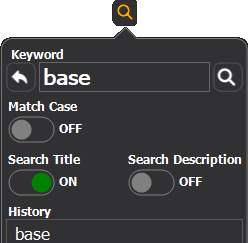
· Click the  button to search channel titles or descriptions using a keyword.
· You can also sort the list by clicking the  button at the top of the list.